Connecting Your Database
Bxss.io uses a Bring Your Own Database (BYOD) model. This means you need to connect your own Cloudflare D1 database to store your XSS execution reports.
Prerequisites
- A Cloudflare account
Steps to Connect
- Login to your Cloudflare Account.
- Create an API token by visiting Create API Token
- Click on Continue to Summary
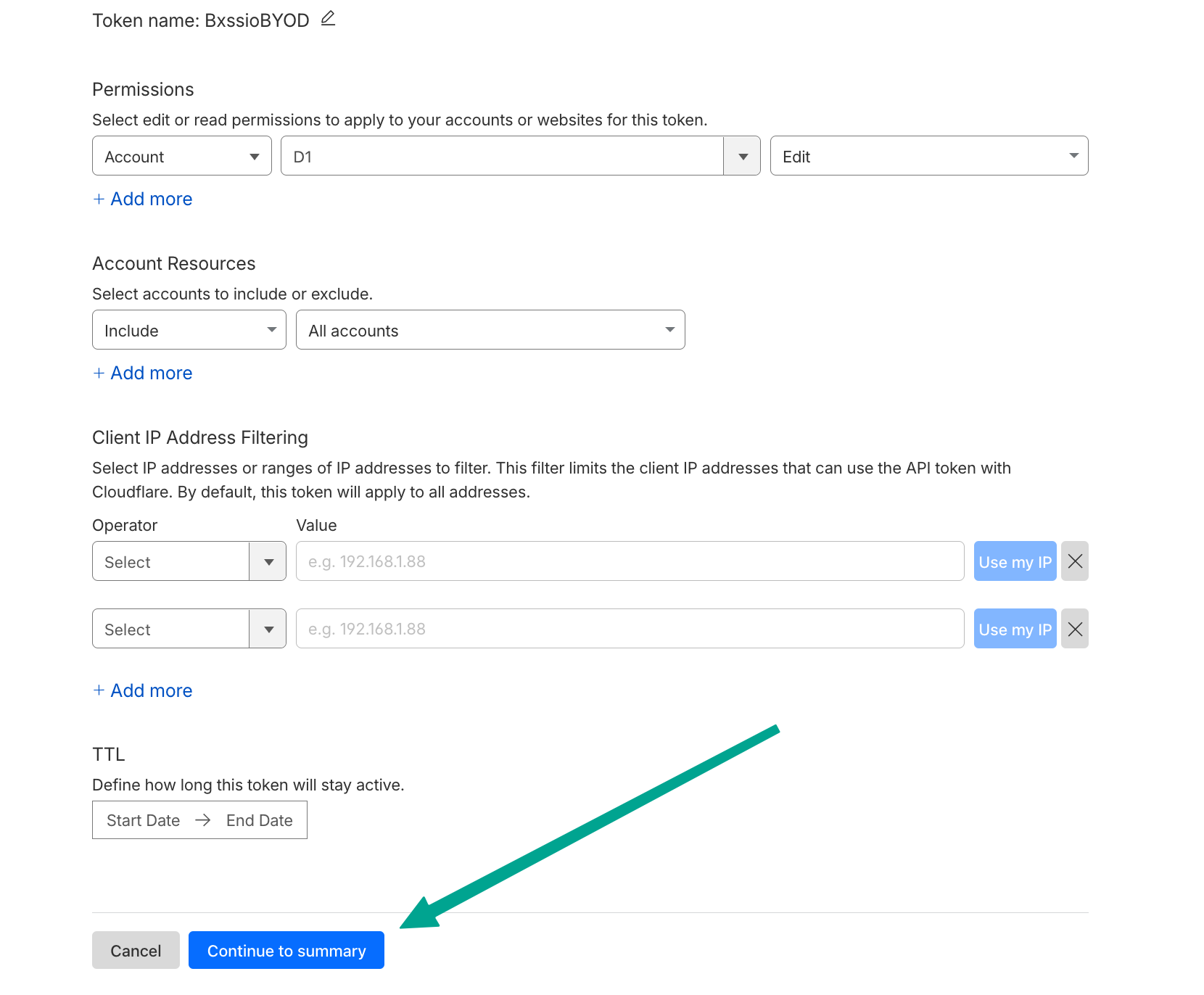
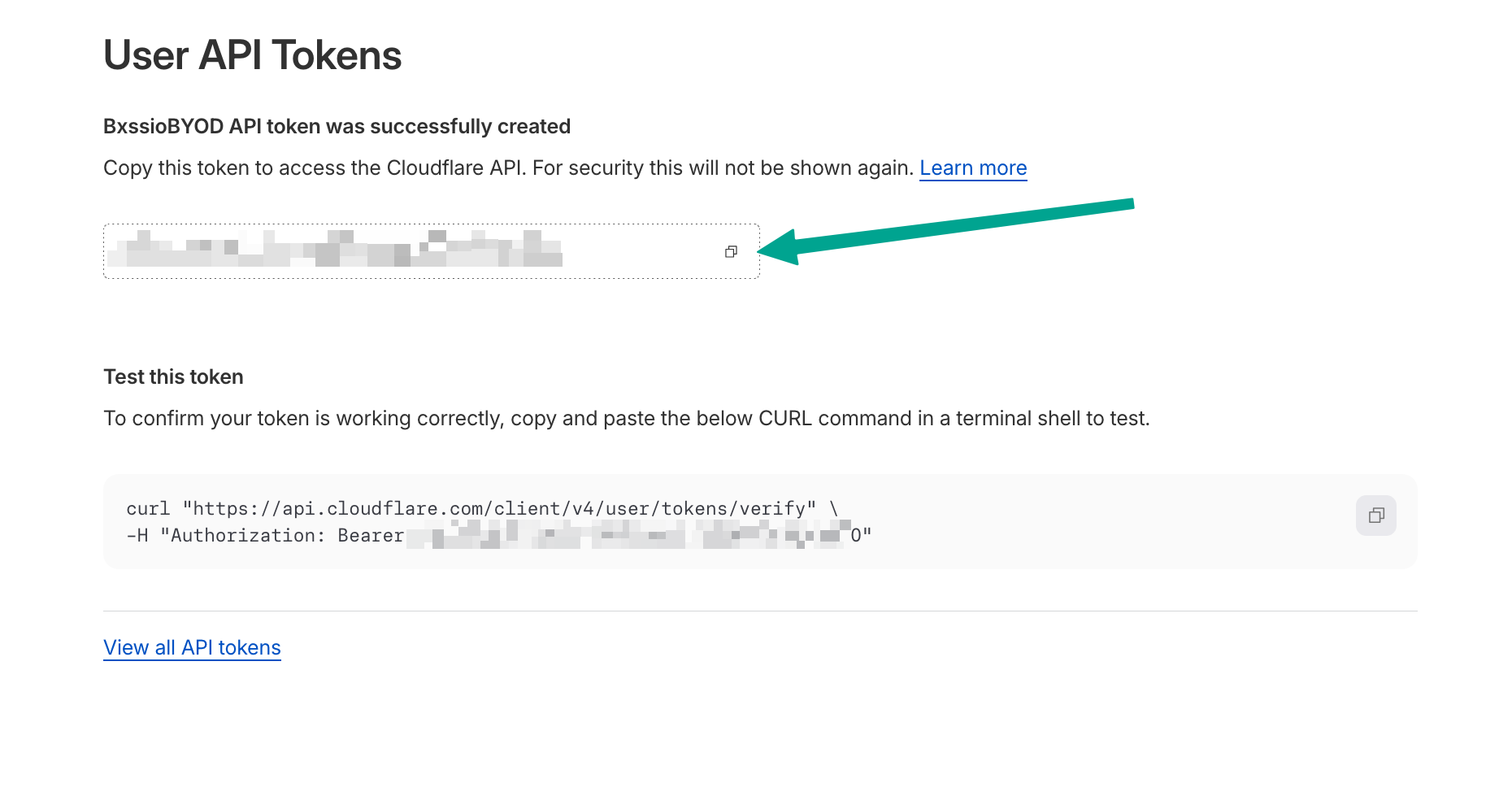
- Click on Create Token.
- Copy the API token.
- Go to your settings in Bxss.io at Bxss.io Settings and click on Database setup tab.
- Paste the API token in the Cloudflare API Token field.
- Paste your Cloudflare Account ID in the Account ID field.
- Click on Test and Connect button.
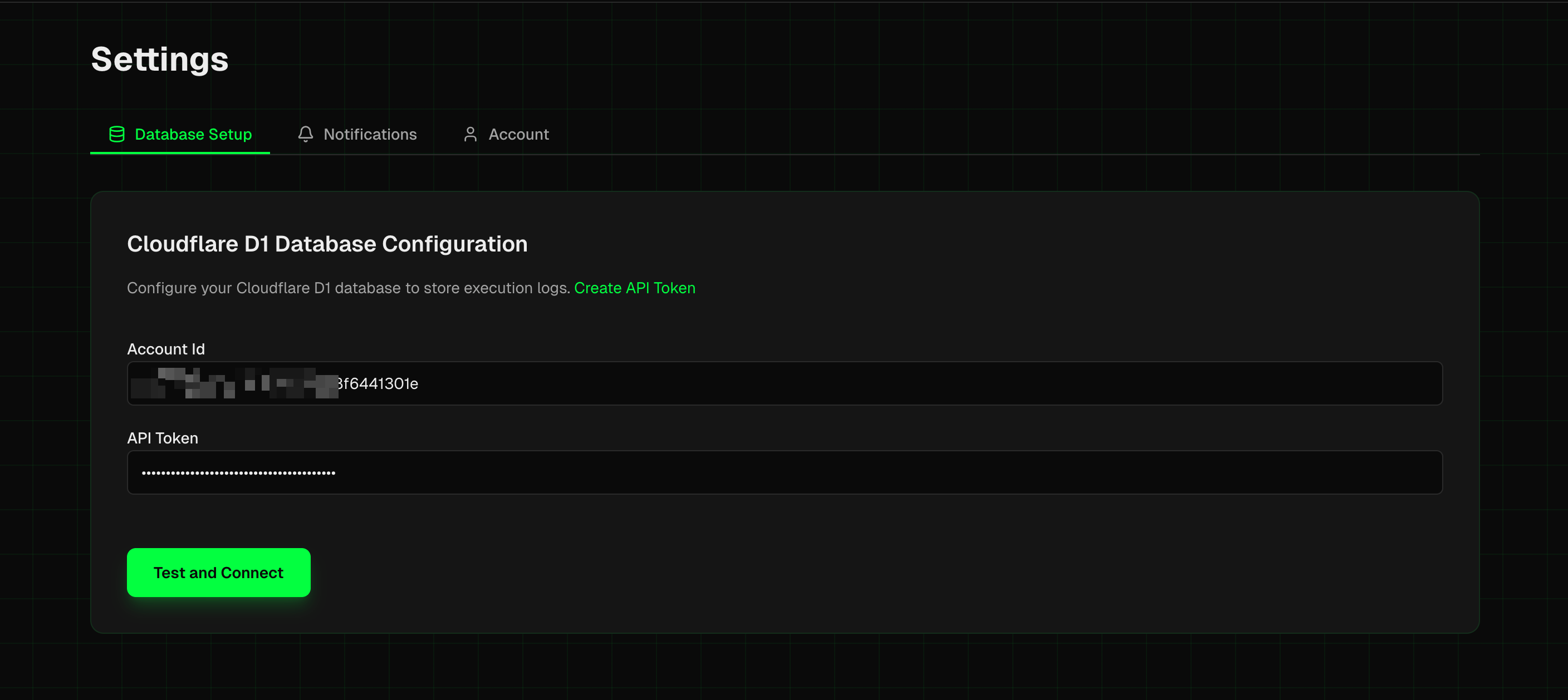
- If the connection is successful, you will see a success message.