Telegram Integration
Follow the steps below to set up Telegram notifications:
- Go to your Bxss.io Settings page and click on Notifications tab.
- Navigate to the Telegram Integration section.
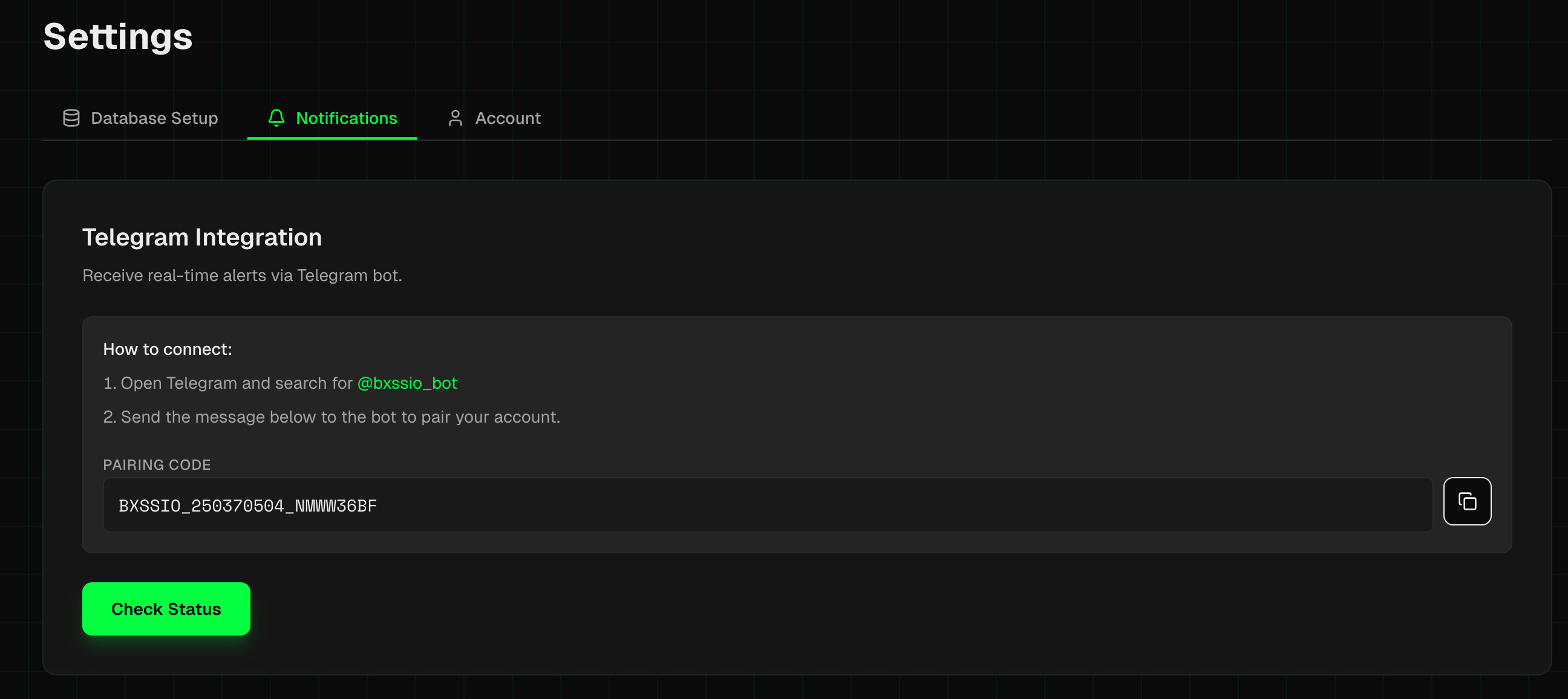
- Copy the Pairing Code.
- Inside Telegram, search for "@bxssio_bot" https://t.me/bxssio_bot.
- Click on Start button.
- Send the pairing code to the bot which we copied in step 3.
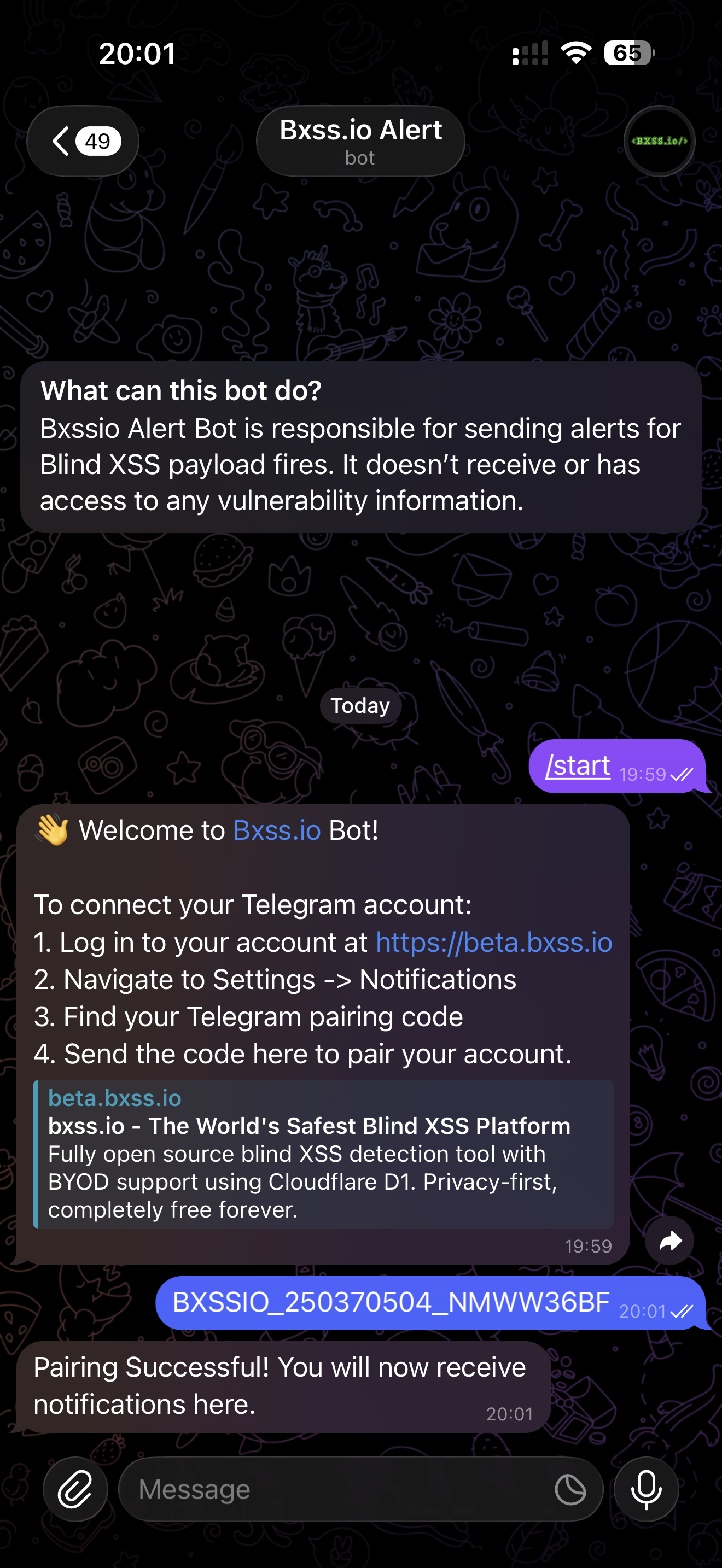
- You'll receive a message stating "Pairing Successful! You will now receive notifications here." and you're all set, you'll now receive notifications about the execution of your payloads on Telegram.